
Claude Cowork. Every model. Your rules.
Point Claude Cowork at Requesty and get 600+ frontier models inside the native app. Policy-based routing, EU residency, and MDM deployment, without a single line of code.
One app. Every model.
Claude Cowork ships with a third-party inference mode. Point it at Requesty and every frontier model becomes available from the Cowork picker. No wrappers, no extensions, no workarounds.
600+ models, one picker
Claude Sonnet, Opus, Haiku. GPT. Gemini. Mistral. DeepSeek. Llama. Kimi. All selectable inside the native Cowork model dropdown.
Policy-driven routing
Point Cowork at a Requesty policy and get automatic fallback, load balancing, and latency-aware routing. Your users never pick a model again.
EU-only endpoint
Swap router.requesty.ai for router.eu.requesty.ai and every request stays in Frankfurt. GDPR ready out of the box.
Zero retention
Zero data retention available, metadata only. GDPR compliant, DPA on request.
Spend visibility
Every Cowork session lands in Requesty usage analytics tagged via X-Title, so you can split Cowork spend from Claude Code, Cline, or your API.
MDM in one click
Export a .mobileconfig for macOS (Jamf, Intune, Kandji) or a .reg file for Windows Group Policy. Deploy to the whole fleet, one key per user.
From download to Gemini in 90 seconds.
No CLI. No environment variables. Toggle Developer Mode, paste your Requesty key, restart.
Enable Developer Mode
Help → Troubleshooting → Enable Developer Mode. A new Developer menu appears in the menu bar.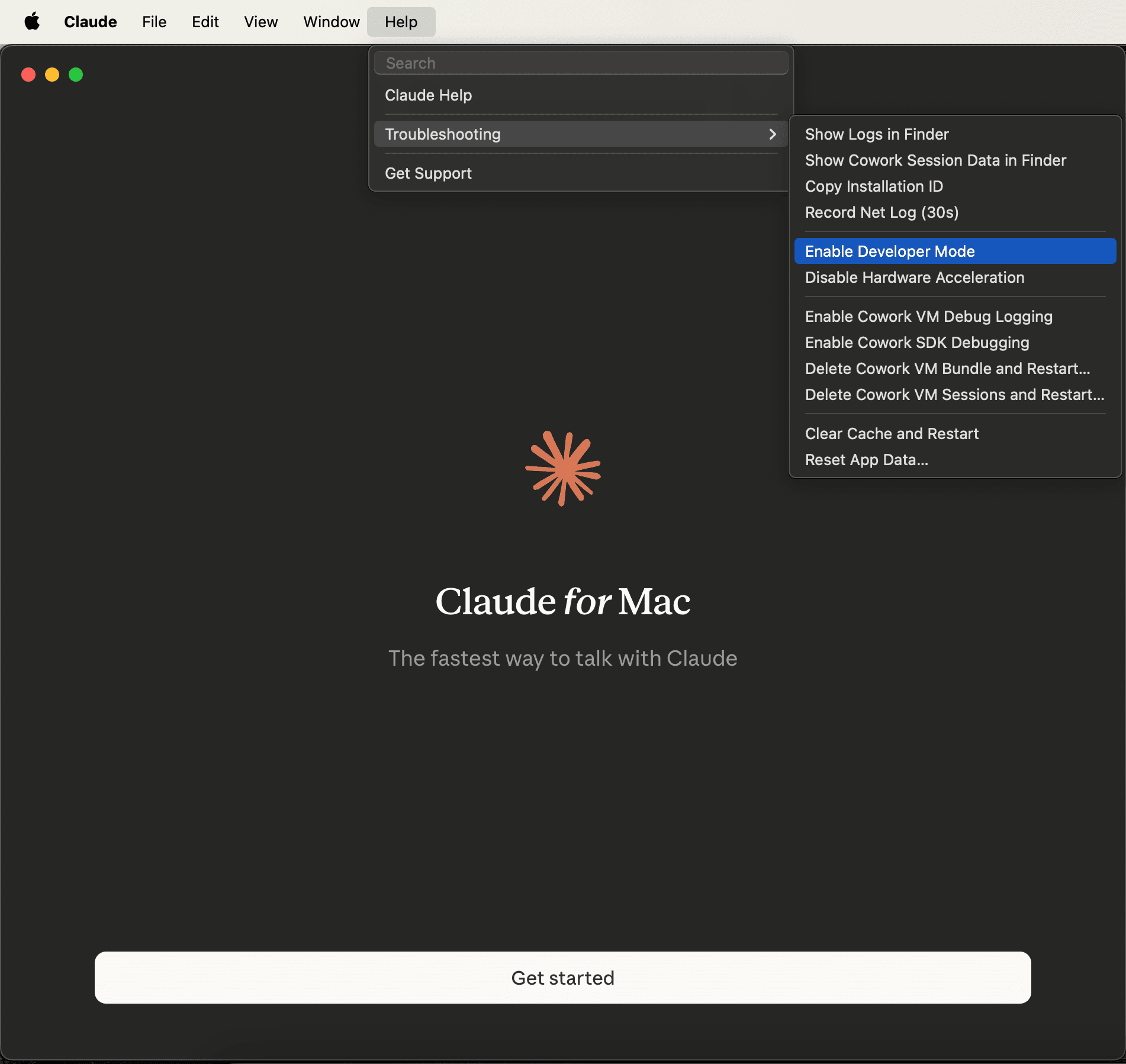
Open third-party inference
Configure Third-Party Inference.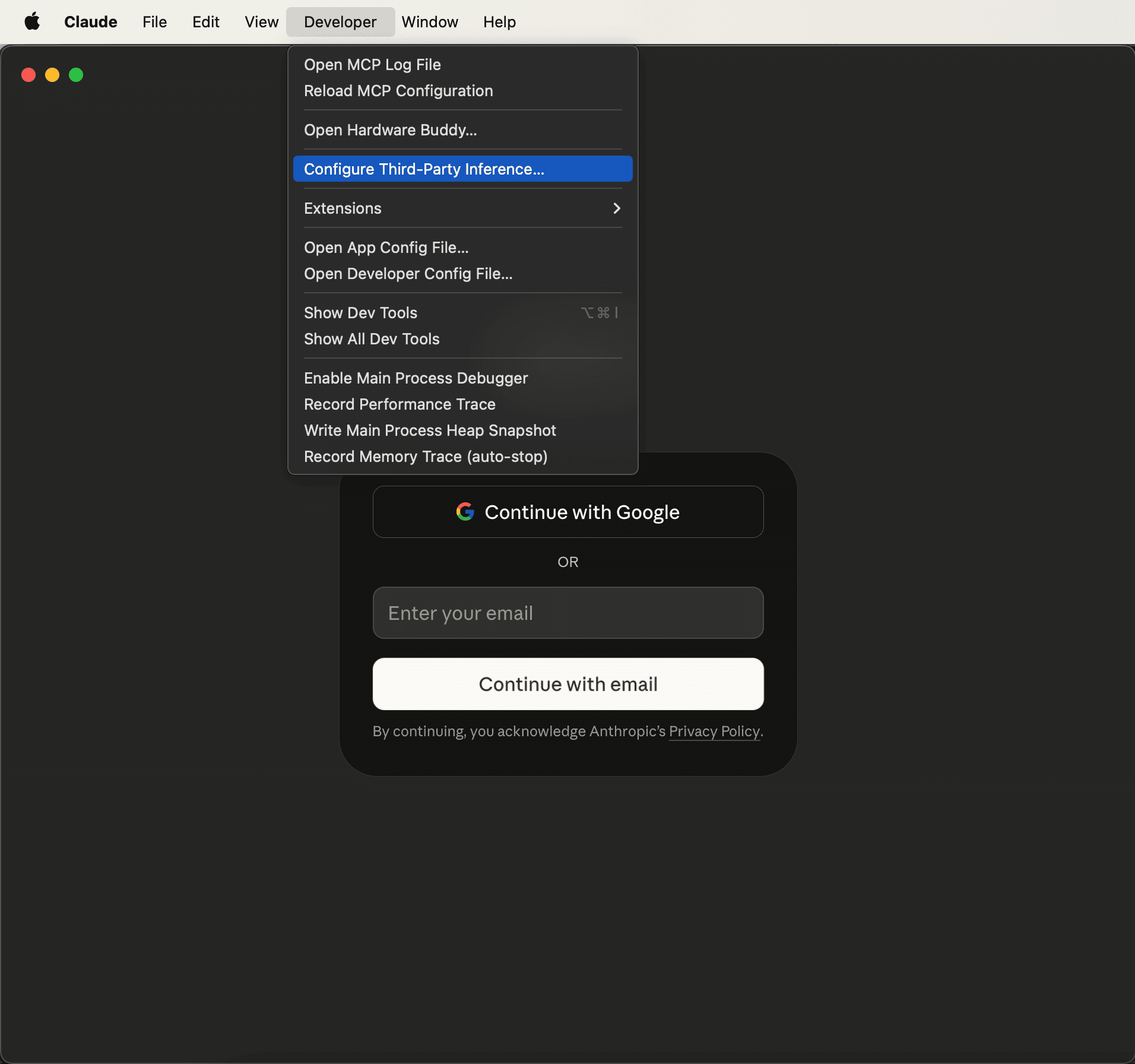
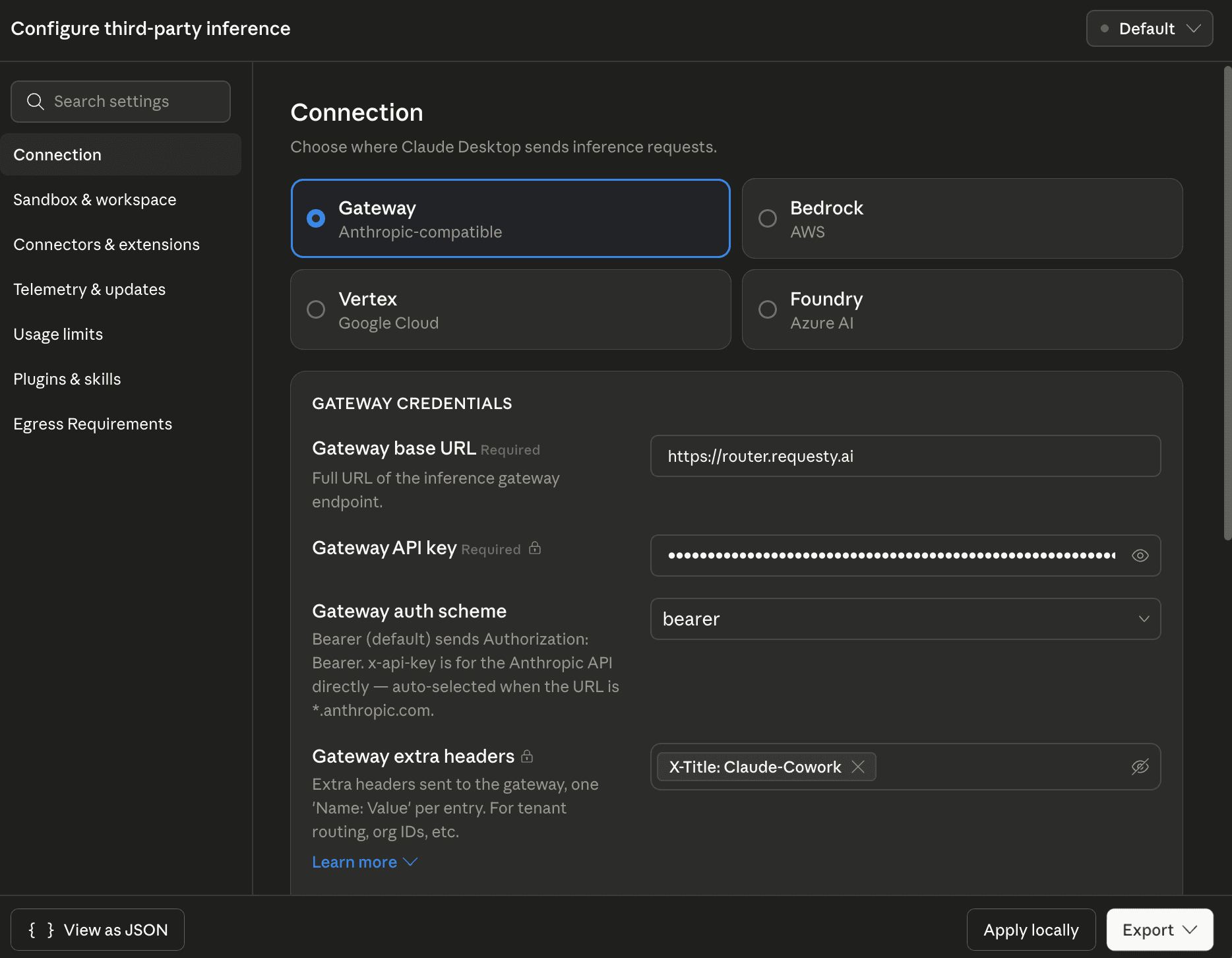
Paste the Requesty config
Pick Gateway (Anthropic-compatible) and fill in:
For EU-only routing, use https://router.eu.requesty.ai instead.
Continue with Gateway
Continue with Gateway. No Anthropic sign-in required.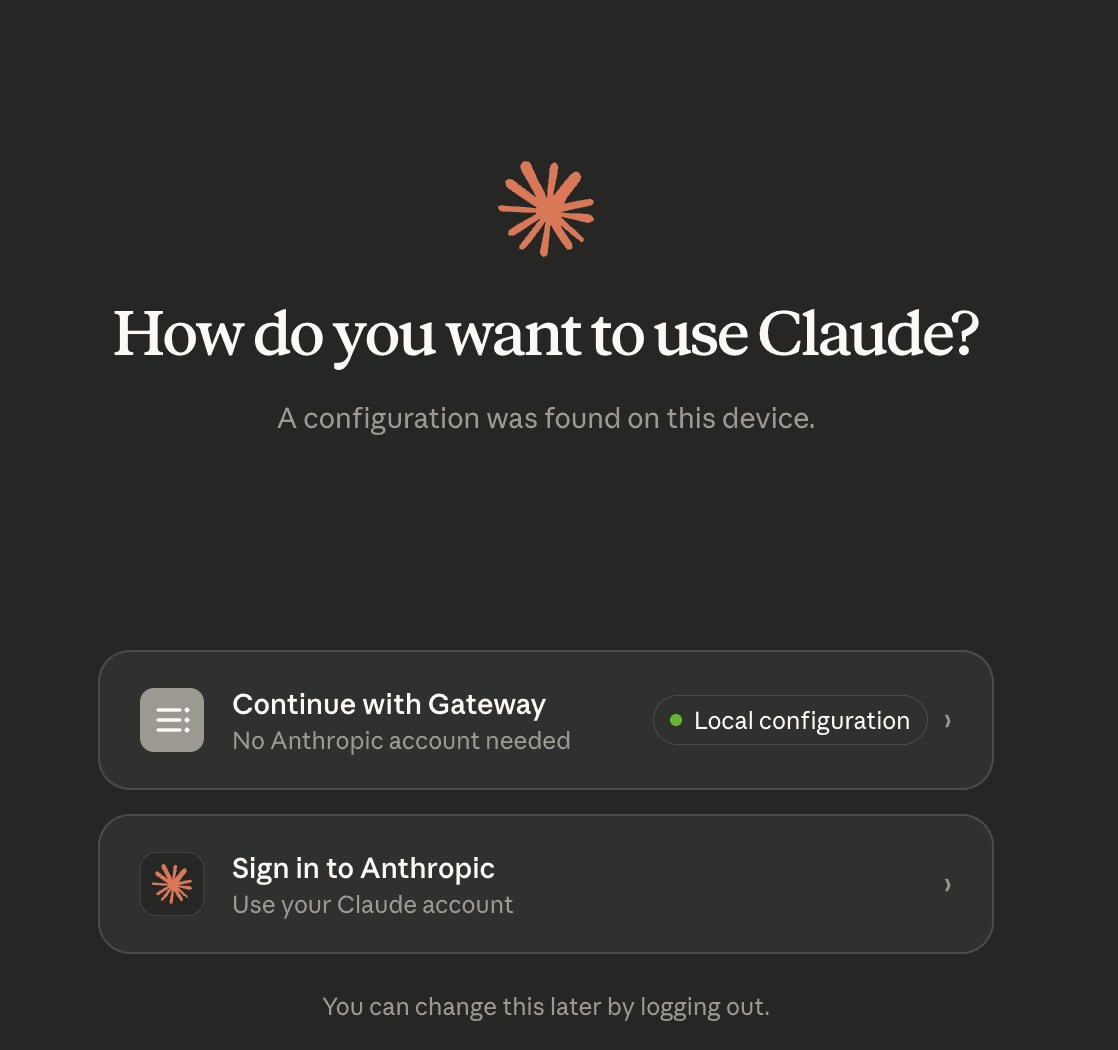
Pick any model
policy/opus-5 for automatic fallback, or any model directly. Start working.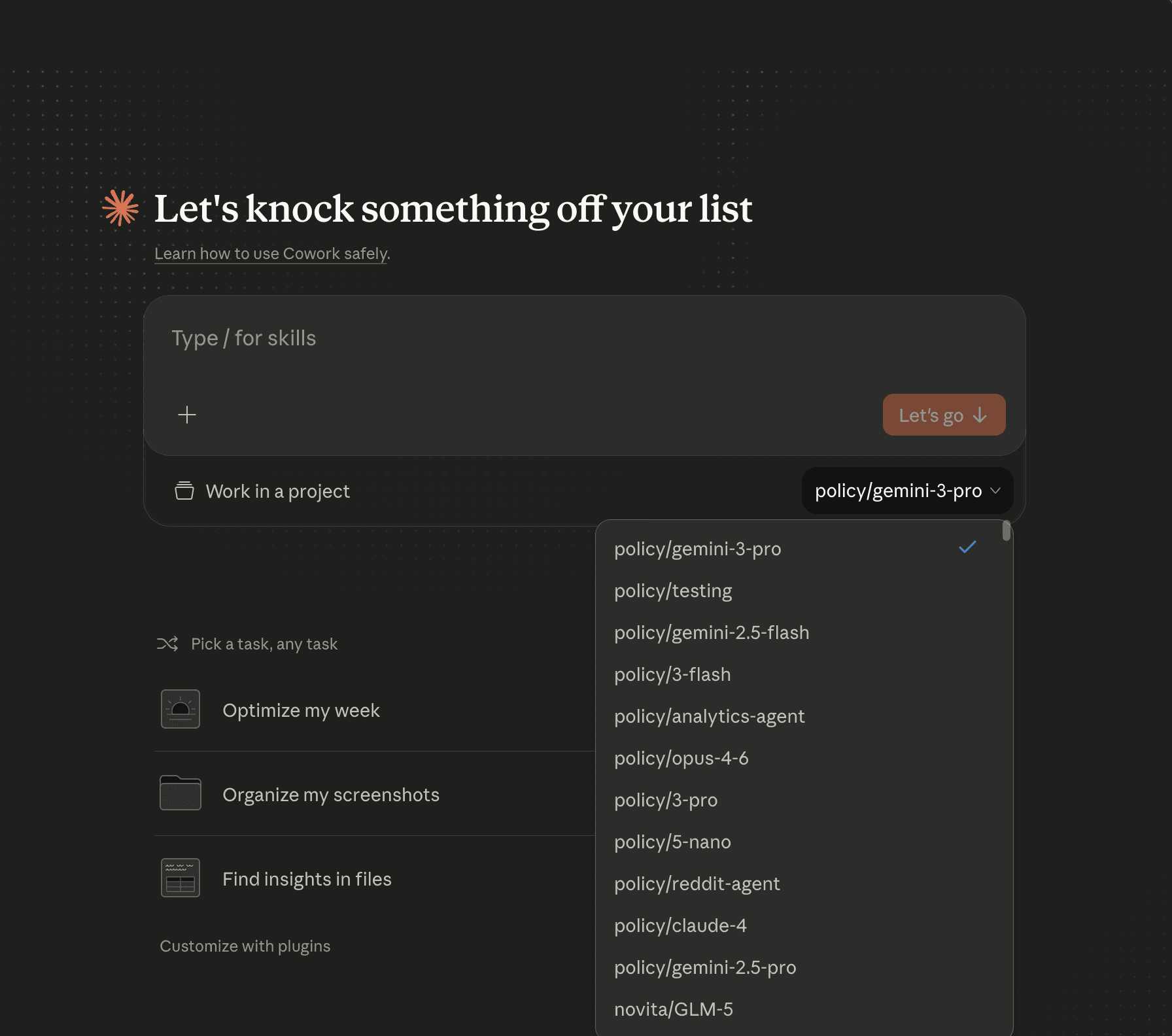
Every Cowork session, tagged and tracked.
The X-Title: Claude-Cowork header lets you slice spend by app in Requesty analytics. Mix tags per team, project, or user to see exactly where your Cowork budget goes.
- Filter Cowork traffic separately from API, Claude Code, Cline.
- Set per-key spend limits for each seat.
- Export usage reports to CSV or pipe to your data warehouse.
Questions & answers
What teams ask before rolling Cowork + Requesty out.
No. Once the gateway configuration is saved, Claude Cowork shows a "Continue with Gateway" option on launch. You only need a Requesty API key.
Every model and routing policy your Requesty organization has access to. That includes Claude Sonnet, Opus, and Haiku, plus GPT, Gemini, Mistral, DeepSeek, Llama, Kimi, and 600+ others. Policies appear prefixed with "policy/" and give you automatic fallback and load balancing.
Yes. Use https://router.eu.requesty.ai as the gateway base URL. All traffic is routed through Frankfurt (AWS eu-central-1). No request ever leaves the EU.
Use the Export button in the Claude Cowork third-party inference panel. macOS gets a .mobileconfig you can push via Jamf, Intune, or Kandji. Windows gets a .reg file for Group Policy or Intune. Issue one Requesty key per user for per-seat spend tracking and revocation.
Yes, when you set the extra header X-Title: Claude-Cowork. Every Cowork request is tagged and filterable in Requesty usage analytics and cost tracking so you can see exactly what your team is using Cowork for.
Yes. Append [1m] to the model name in the picker (for example anthropic/claude-opus-5[1m]) and Requesty routes to the extended context endpoint automatically.
Your Claude Cowork. Every model.
Spin up a Requesty key, paste it into Cowork. Under two minutes.